Drone env vars: the complete reference
Built-in DRONE_* variables, pipeline and step scoping, from_secret, debugging, and when a dedicated secrets manager beats Drone-native secrets.
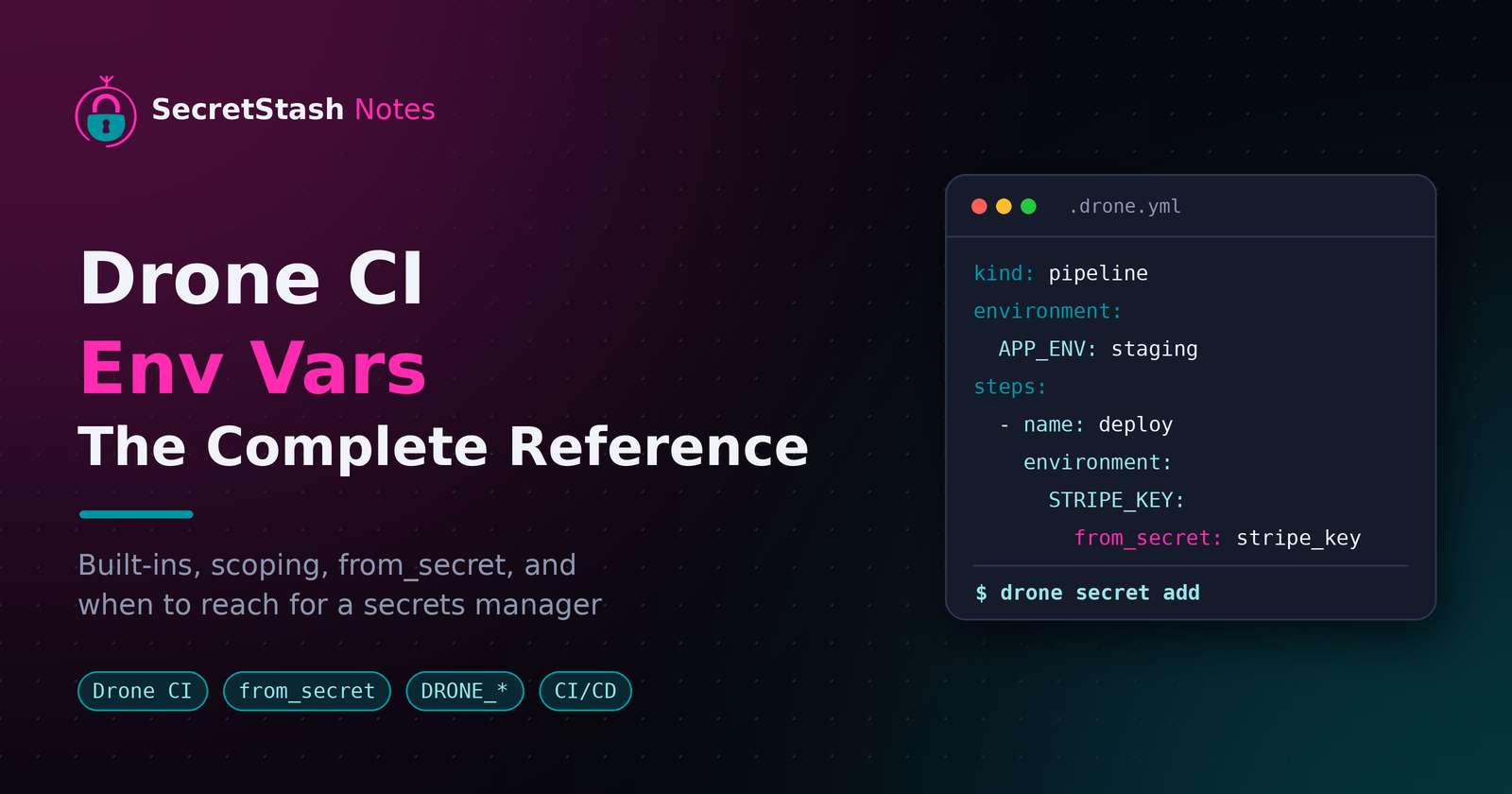
Key takeaways
- Drone injects built-in
DRONE_*variables likeDRONE_COMMITandDRONE_BUILD_NUMBERinto every step without any configuration. - Pipeline-level environment variables apply to every step, while step-level environment variables apply to one step and override pipeline values.
- Credentials must go through
from_secret, which keeps values out of YAML and masks them in logs; plainenvironmententries are visible to anyone with repo access. - Restricted secrets are the safest default for sensitive keys because they are unavailable to arbitrary pull request builds.
- Drone-native secrets suit small teams with few apps; multi-app staging and production sync is where Doppler, Infisical, or SecretStash win.
Drone env vars come from four places:
- Built-in variables Drone injects itself.
environmentblocks set in your YAML.- Secrets pulled in with
from_secret. - The pipeline-level versus step-level scope you attach them to.
This page consolidates all four with copy-paste YAML examples, debugging commands, and an honest comparison against Doppler, dotenv-vault, and Infisical.
What environment variables does Drone provide by default?
Drone injects a set of DRONE_* variables into every step of every build. You get commit, branch, and build metadata for free, without configuring anything in your .drone.yml.
The DRONE_* variables you get in every step
These are the ones you'll reach for most often:
| Variable | What it holds |
|---|---|
DRONE_COMMIT |
The commit SHA being built |
DRONE_COMMIT_BRANCH |
The branch (push and PR events) |
DRONE_BRANCH |
The target branch |
DRONE_BUILD_NUMBER |
Incrementing build number |
DRONE_BUILD_EVENT |
push, pull_request, tag, and so on |
DRONE_TAG |
The tag name, on tag events |
DRONE_REPO |
owner/name of the repository |
DRONE_STAGE_STATUS |
Current stage status |
The Drone documentation on environment variables lists the full set, including deploy and cron variables. Note that DRONE_COMMIT_BRANCH and DRONE_BRANCH behave differently on pull request events, which trips people up.
How to print all env vars in a build
The fastest way to see everything Drone exposes is a debug step:
- name: dump-env
  image: busybox
  commands:
    - env | sort
Run it once in staging and you'll know exactly what's available before you wire up secrets. This matters if you're currently comparing .env files by hand across environments, a workflow that SecretStash replaces entirely with shared, per-environment variables.
How do you set custom environment variables in a Drone pipeline?
Drone takes an environment key at two levels: the pipeline and the step. Pipeline-level variables are available to every step; step-level variables apply to that step only. Both are plain YAML, so you can copy these blocks straight into .drone.yml.
Pipeline-level environment
kind: pipeline
name: default

environment:
  APP_ENV: staging
  CACHE_DRIVER: redis

steps:
  - name: test
    image: php:8.3-cli
    commands:
      - php artisan test
Every step in this pipeline now sees APP_ENV and CACHE_DRIVER. (php artisan test runs the test suite of a Laravel app; Laravel is a PHP framework.)
Step-level environment
steps:
  - name: deploy
    image: alpine
    environment:
      DEPLOY_TARGET: production
    commands:
      - ./deploy.sh
Use step-level scoping when a variable should not leak into build or test steps, such as a deploy host or region flag.
Interpolation vs literal values
Values in environment are literal strings. Drone does not interpolate other variables inside them, so PATH: ${PATH} will not do what you expect. If a value is sensitive, do not put it here at all; secrets belong in from_secret, covered in the next section. For variables you want consistent across staging and production without committing them, a secrets manager like SecretStash keeps them out of the YAML entirely.
How do you inject secrets as environment variables in Drone?
Drone never exposes secrets as plain environment: entries. You store them in Drone's secret store, then pull them into a step with from_secret, which keeps values out of your YAML, your git history, and the build logs. The Drone CI secrets documentation covers the syntax; the summary below is what you need day to day.
Creating a secret with the Drone CLI
Add a secret from your terminal without touching the UI:
drone secret add --repository octocat/hello-world \
  --name stripe_key \
  --data sk_live_xxx
The same secret can be added through the web UI under Settings → Secrets. Names are lowercase and match what you reference in YAML.
Using from_secret in YAML
steps:
  - name: deploy
    image: node:20
    environment:
      STRIPE_KEY:
        from_secret: stripe_key
Drone masks the value in logs, so a stray echo $STRIPE_KEY shows [secure] instead of your key.
Secret scopes: repo, org, and restricted
This is where the trade-offs live, and it's worth reading carefully.
| Scope | Who can read it | Good for |
|---|---|---|
| Repo | Only that repository | Production keys |
| Org | Every repo in the org (so one repo's pipeline can read them) | Shared credentials like a registry token |
| Restricted | Pull requests from trusted forks or push events, not arbitrary pull requests | Sensitive keys by default |
Repo secrets are visible only to that repository, which is what you want for production keys. Org secrets are shared across every repo in the org, which suits shared credentials like a registry token, but means one repo's pipeline can read them. Restricted secrets are only available to pull requests from trusted forks or to push events, not to arbitrary pull requests, which closes the classic "fork my repo and exfiltrate the secrets" hole.
Pull request builds are the riskiest surface in any CI system because anyone who can open a PR can run code in your pipeline, so default sensitive keys to restricted and loosen only when a build genuinely fails without them. If your team is still passing .env files over Slack between staging and production, moving them into scoped Drone secrets is a real improvement, though it only covers CI: runtime apps and local dev still need a home, which is the problem SecretStash exists for.
What is the difference between environment and from_secret in Drone?
environment values are written into your YAML and interpolated at pipeline parse time. from_secret passes the value to the container at runtime, so the raw secret never appears in your pipeline file or in Drone's UI.
Why plain environment leaks secrets
Anything you put under environment is visible in the build's YAML, in the step's log header, and to anyone with read access to the repo. If a build fails mid-step, an echoed command can print the value too. That's how a Slack-shared .env file ends up in a public log with the same key you just rotated. Secrets passed with from_secret are masked in logs, which is why credentials should always go through from_secret, never environment.
When environment is still the right choice
Use environment for non-sensitive values: APP_ENV=staging, feature flags, image tags, a database host name. It's simpler, diffable, and visible in review. The rule of thumb: config in environment, credentials in from_secret.
If you're juggling the same secrets across staging and production pipelines, a dedicated store beats copy-pasting them between YAML files. We compared the options honestly, including our own shortfalls, in SecretStash vs HashiCorp Vault.
How do you scope env vars to a single step versus the whole pipeline?
Drone lets you set env vars at two levels: top-level environment applies to every step in the pipeline, while an environment block inside a step applies only to that step. When a variable is defined at both levels, the step-level value wins.
Precedence: step overrides pipeline
kind: pipeline
name: default

environment:
  APP_ENV: staging

steps:
  - name: build
    image: node:20
    commands:
      - echo $APP_ENV        # staging
  - name: smoke-test
    image: node:20
    environment:
      APP_ENV: production
    commands:
      - echo $APP_ENV        # production
Drone also injects its own built-ins like DRONE_BUILD_NUMBER and DRONE_COMMIT into every step, on top of anything you declare (Drone docs on built-in environment variables).
Scoping per environment: staging vs production
A common pattern is one pipeline per target, each setting APP_ENV and DEPLOY_HOST at the pipeline level, then overriding only credentials per step via from_secret. That keeps staging and production configs diffable with a single git diff instead of comparing .env files by hand.
How do you debug which env vars are available in a Drone build?
A safe debug step
Add a temporary step that dumps the environment, then delete it before merging:
- name: debug-env
  image: alpine
  commands:
    - env | grep -v -E 'SECRET|TOKEN|PASSWORD|KEY' | sort
The grep -v filters out anything that looks like a secret before it hits the logs. Run this once per pipeline to see exactly which variables Drone injects (like DRONE_COMMIT_SHA and DRONE_BUILD_EVENT) and which of your custom vars actually arrived. If a var is missing, the problem is scoping or a failed secret lookup, not the app code.
Masking secrets in build logs
Drone masks secrets injected with from_secret: the value is replaced with *** in the log output. Two caveats:
- Masking only works if the secret is injected via
from_secretor the secrets UI; a var set in plainenvironment:is not masked. - Masking matches the exact value, so
echo $MY_SECRETshows***, but a command that prints a transformed version (base64-encoded, concatenated) can leak it.
Never pipe secret values through base64 or string operations in a step you might leave in the pipeline.
How do Drone env vars differ from GitHub Actions or GitLab CI?
Syntax comparison
Drone sets pipeline-wide variables under environment: at the pipeline level and step-level variables inside each step, using ${VAR} expansion. GitHub Actions uses env: at workflow and job level plus env: per step, with $GITHUB_ENV for persisting values between steps. GitLab CI defines variables under variables: at the pipeline or job level, and job-level values override pipeline-level ones.
Secret handling comparison
Drone stores secrets separately from the YAML and pulls them in with from_secret, masking them in logs. GitHub Actions encrypts secrets at the repository or organization level and masks them in logs; GitLab does the same with CI/CD variables, including per-environment scoping. Drone's masking applies to secrets injected via from_secret, per the Drone secret documentation. The practical difference: Drone keeps secrets out of the pipeline file entirely, while all three mask output rather than encrypting at runtime.
Should CI env vars live in Drone or in a secrets manager?
Criteria: rotation, multi-app sync, onboarding
Judge a setup by three things:
- How fast you rotate a leaked key.
- Whether staging and production stay in sync across apps.
- How a new dev gets access on day one.
Where Drone-native secrets are enough
If you run one or two apps, secrets rarely change, and one person owns the Drone org, Drone's built-in secrets are fine. They're scoped per-repository, injected with from_secret, and never appear in logs. Rotation is a manual CLI or UI edit, but for a five-person team that's a two-minute job a few times a year.
Where a dedicated manager wins
Once you manage multiple apps across staging and production, Drone-native secrets fall short: every repo holds its own copy, and nothing syncs. Doppler, dotenv-vault, and Infisical all centralize env vars, sync them to Drone, and diff environments. SecretStash does the same, CLI-first with a zero-knowledge design, built for teams of 2 to 20.
Where it falls short: no dynamic or short-lived credentials, and fewer integrations than Infisical. If you need those, pick Infisical; if you're replacing Slack-shared .env files, SecretStash fits.
FAQ
Can I use .env files directly in a Drone pipeline?
Not directly. Drone reads .drone.yml, not dotenv files, so values must be declared under environment: or pulled with from_secret. A common workaround is committing a non-sensitive .env.example and copying real values into Drone secrets. Avoid committing actual .env files, since anything in git history is readable by anyone with repo access.
How do I pass env vars from Docker Compose into Drone builds?
There is no automatic bridge. Export the values you need, then either hardcode non-sensitive ones into your pipeline's environment: block or store them as Drone secrets referenced with from_secret. If your Compose file doubles as local dev config, keep the two sources in sync deliberately, since Drone will not read the Compose file itself.
Why is my Drone secret showing as empty or *** in logs?
Empty usually means a failed lookup: the secret name in from_secret does not match the stored name, or the secret is restricted and unavailable to pull request builds. The *** you see is Drone masking a from_secret value, which is expected. Masking matches exact values only, so transformed output like base64 can still leak.
Does Drone support per-branch environment variables for staging and production?
Not natively as a branching rule on variables. The standard pattern is separate pipelines per target, each setting values like APP_ENV and DEPLOY_HOST at the pipeline level, filtered by branch or event. Credentials stay identical through from_secret. This keeps staging and production configs diffable with a single git diff of the YAML.
About the author
- I am a full-stack developer with a passion for creating intuitive and user-friendly experiences. With a strong background in frontend development and a deep understanding of backend technologies, I excel in building robust and scalable applications. My expertise spans across various frameworks and languages, allowing me to adapt to different project requirements. I am dedicated to staying updated with the latest industry trends and continuously improving my skills to deliver high-quality solutions.
Comments
Join the discussionNo comments yet. Be the first to comment.