

Docker Compose Node.js Environment Variables: All Methods
Four ways to inject env vars, which one wins, and how to debug undefined, stale, and Windows-broken values
Key takeaways
- Compose injects Node.js env vars four ways:
environment:,env_file, DockerfileENV, and host shell exports, andenvironment:always overrides the others. - Node showing
undefinedusually traces to a key typo, build-time vs run-time confusion, a stale.envbaked into the image, or a container that was never recreated. docker compose restartkeeps old env values because variables resolve at container creation; usedocker compose up -dto pick up changes.- Windows CRLF line endings append a trailing
\rtoenv_filevalues, so add*.env text eol=lfto.gitattributesto prevent silent connection failures. - Commit a
.env.exampleto the repo, never the real.env, and generate per-environment env_files from a secrets manager at deploy time.
You pass Docker Compose Node.js environment variables four ways: the environment: key in your compose file, env_file, ENV in the Dockerfile, or a shell export on the host. Each behaves differently, and most "undefined in Node" bugs come from picking the wrong one. This guide maps each method to when it works, then traces every common symptom back to its root cause.
How do you pass Docker Compose Node.js environment variables?
Docker Compose gives you four ways to get env vars into a Node.js container, and picking the wrong one is the root cause of most undefined bugs. Here's the map.
The four methods: environment:, env_file, Dockerfile ENV, shell export
| Method | Where it lives | Best for | Main risk |
|---|---|---|---|
environment: |
compose.yaml |
A few vars, per-service | Secrets committed to the repo |
env_file: |
Separate .env file |
Local dev, many vars | Stale file not reaching prod |
ENV in Dockerfile |
Image itself | Defaults baked at build | Values frozen into the image |
| Shell export | Host terminal | Quick tests | Host vars silently not passed |
Precedence matters: environment: in the Compose file overrides env_file, and both override Dockerfile ENV, per the Compose environment variables documentation.
Default recommendation: env_file for local, CI-injected for deploy
Use env_file: for local development so one file drives every service. For deploys, inject vars from your CI or a secrets manager instead of committing .env files, since committed secrets are a practice developers themselves widely call terrible. If your team is still passing files over Slack, a tool like SecretStash keeps env vars out of chat and out of the repo.
When should you use environment: vs env_file in docker-compose?
Use environment: for a handful of keys, overrides, and values pulled from the host. Use env_file when you're shipping more than a few variables or want the container to match the .env file developers run locally. Most Node.js Compose setups end up using both: env_file carries the bulk, environment: tweaks a couple of keys per service.
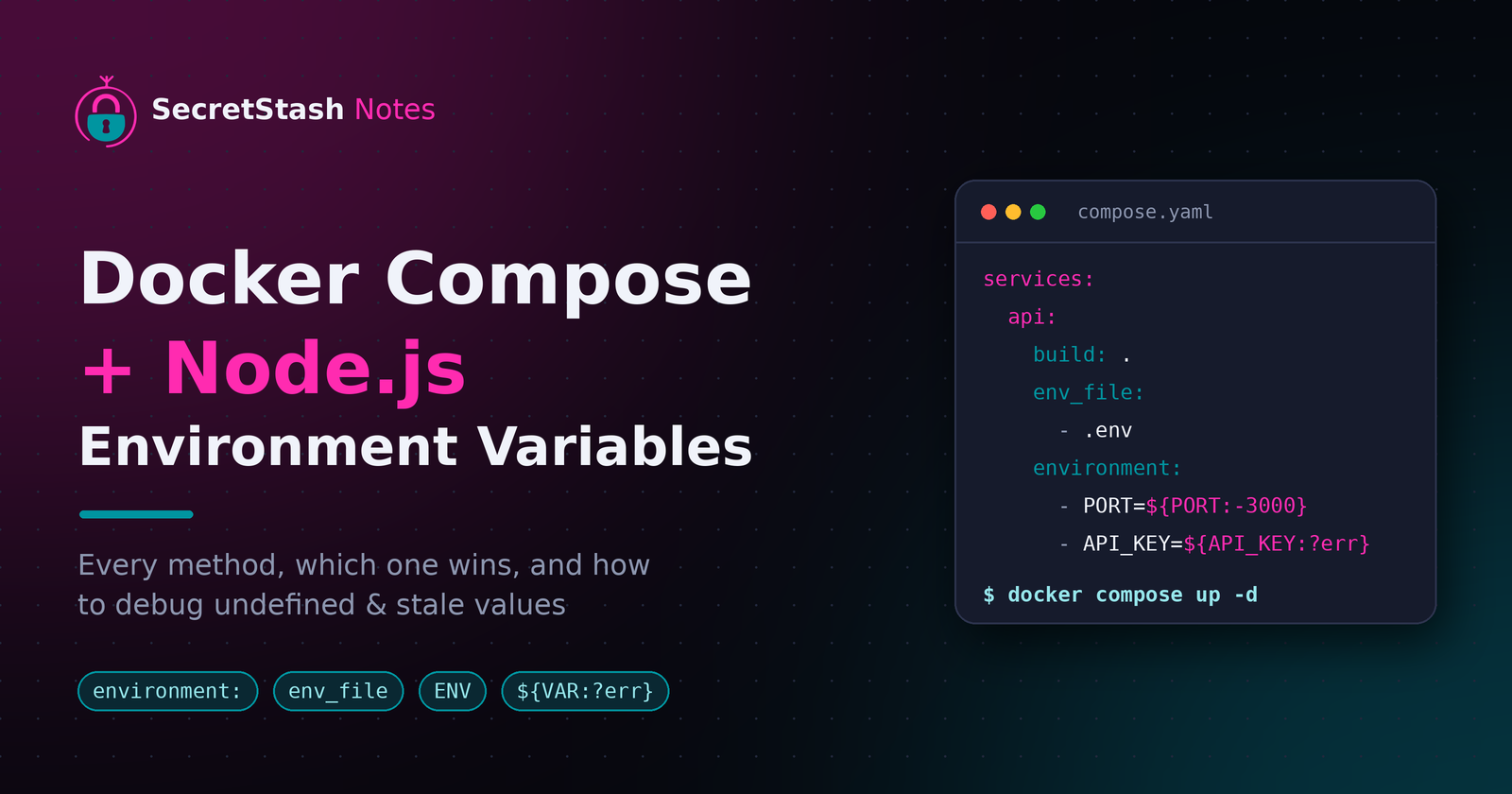
services:
  api:
    build: .
    env_file:
      - .env
    environment:
      - PORT=${PORT:-3000}
environment: for overrides and host interpolation
Inline keys are visible in docker-compose.yml, so never paste secrets there if the file lives in git. Its real strength is interpolation (- PORT=${PORT:-3000}) and per-service overrides like pointing staging at a different database host.
env_file for bulk values and parity with local .env
env_file keeps secrets out of the compose file and mirrors the .env your app already reads with dotenv. One caveat: values are parsed literally, so there's no variable expansion inside the file itself.
Precedence rules: which source wins when both set the same key
Values set with environment: always beat values from env_file. If a key appears in both, the inline one wins silently, which is a classic source of stale-looking behaviour. Keep each key in one place where you can.
Why do Node.js environment variables show as undefined inside the container?
Four root causes cover almost every case:
- A typo between the compose key and
process.env.X. - Setting the variable at build time when it's needed at run time.
- A stale
.envcopied into the image filling in values Compose never set. - Editing the compose file without recreating the container.
Build-time ENV vs run-time compose injection
ENV in a Dockerfile bakes a value into the image. Compose environment: injects at run time. If your app starts during docker build (a compile step that reads config, for example), the run-time value does not exist yet. Build-time args are also visible in image history, so never pass secrets that way.
A stale .env in the image masking what Compose injected
With default settings, dotenv.config() will not overwrite variables that already exist, so anything Compose injected wins. The trap is everything Compose didn't inject: if a .env file gets copied into the image (a missing .dockerignore entry is the usual culprit), dotenv quietly fills those gaps with stale values that look real. And if you call dotenv.config({ override: true }), it really will overwrite what Compose set. Add .env to .dockerignore and let Compose be the only source inside the container.
Compose interpolation happens on the host side, before your container ever starts, which is why a missing key there produces an empty string rather than an error. That silent empty string is the second trap: process.env.API_URL becomes "" instead of undefined, your app boots fine, then fails on the first request. Fail loudly instead, by throwing when a required var is missing at startup:
const required = ['API_URL', 'DATABASE_URL'];

for (const key of required) {
  if (!process.env[key]) {
    throw new Error(`Missing required environment variable: ${key}`);
  }
}
How to print environment variables in Node to verify
Run this inside the container to see exactly what your process received:
node -e 'console.log(process.env)'
Then compare against the container's environment to spot the divergence:
docker compose exec <service> env
Why do host environment variables not reach the container?
Compose only interpolates host variables at parse time, in the compose file itself. If you set API_KEY in your shell and reference it inside an env_file, Compose will not substitute it. That file is passed to the container verbatim, so you get the literal string ${API_KEY} as a value.
${VAR:-default} interpolation happens at compose parse time
${API_KEY:-fallback} resolves when Compose reads the YAML, before any container starts. The default kicks in only if the host variable is unset or empty. Once resolved, the value is baked into the container config; changing the host var requires docker compose up again, not a restart.
The two different .env files: Compose's vs your app's
Compose reads a .env file sitting next to your compose file and uses it for interpolation, not injection. Your app's .env, loaded by dotenv inside Node, is a separate file with separate rules. Confusing the two is the top cause of "it works locally but not in Compose."
Required variables and warnings on missing host vars
Use ${API_KEY:?err} to fail fast when a host variable is missing, instead of shipping an empty string to production:
services:
  api:
    environment:
      - API_KEY=${API_KEY:?API_KEY must be set}
Compose prints a warning for unset variables, but warnings are easy to miss in CI logs.
Why do env vars break on Windows?
CRLF: a trailing \r silently appended to values
An .env file saved with Windows line endings gives every value a trailing \r. Node then sees DATABASE_URL=postgres://...\r, and the connection fails while the value looks fine in console.log. Docker's env_file parser does not strip it. Run this and look for "with CRLF line terminators" to confirm:
file .env
PowerShell vs bash: setting host vars before docker compose up
Bash syntax like this fails in PowerShell:
API_KEY=abc docker compose up
Use this instead:
$env:API_KEY="abc"; docker compose up
Remember that PowerShell variables do not persist across terminal sessions. Quoting matters too: paths with spaces need double quotes, and ${VAR} in docker-compose.yml is interpolated by Compose on the host, not by your shell.
Fixing CRLF with .gitattributes and editor settings
Add this to .gitattributes so checked-out files keep Unix endings:
*.env text eol=lf
Then set VS Code's files.eol to \n:
{
  "files.eol": "\n"
}
Why are your container env vars stale or not updating?
Compose resolves env vars when the container is created. A docker compose restart reuses the existing container, so it keeps the old values. You need docker compose up -d to recreate the container with the current .env and env_file contents.
docker compose up -d vs restart: why restart keeps old values
up -d diffs your compose file against the running container and recreates it when config changes. restart just stops and starts the same container object. If you edited an env_file and ran restart, nothing re-reads it.
docker compose config to inspect the resolved values
Print the fully resolved variables, including .env substitution:
docker compose config
Then confirm inside the container with console.log(process.env), as documented in the Node.js process.env docs.
Rebuild flags: --force-recreate and --build
# Discard the container even if Compose thinks nothing changed
docker compose up -d --force-recreate

# Also rebuild when the variable was baked in via Dockerfile ENV
docker compose up -d --force-recreate --build
Add --build when the variable was baked in via a Dockerfile ENV, since image ENV only changes at build time.
How should teams share env vars for Compose projects without Slack?
Criteria: CLI-first, per-environment sync, no plaintext in chat
Judge any tool on three things:
- It works from the terminal, right next to the package manager you already use: npm for Node.js, or Composer for PHP. (Composer is PHP's dependency manager, the npm equivalent for Laravel projects: it installs packages listed in
composer.jsonthe way npm installs frompackage.json.) - It keeps staging and production values separate so you can diff them.
- It never requires pasting a
.envfile into a chat app.
SecretStash, Doppler, dotenv-vault, Infisical run through the same criteria
- SecretStash is CLI-first and built for Laravel (PHP) and small Node.js teams of 2 to 20, with per-environment sync and no plaintext in chat.
- Doppler and Infisical also meet all three criteria with broader platform coverage.
- dotenv-vault stays closest to plain
.envworkflows and meets the criteria, though sync is tied to its own format.
Where SecretStash falls short: no native Docker Compose plugin
There is no compose plugin that injects values at docker compose up. Instead, you export and reference the file with env_file::
secretstash export --env production > .env.production
services:
  api:
    env_file:
      - .env.production
That is one extra command per deploy, and it writes a plaintext file to disk, which you must gitignore. If you want injection at runtime with zero local files, Doppler or Infisical handle that step for you today.
How do Node.js env vars differ in Lambda and CI/CD?
Node.js Lambda environment variables: set per function, available in process.env
Lambda has no Compose file. You set variables per function in the console, CLI, or IaC template, and Lambda exposes them to your handler via process.env at runtime, encrypted at rest (AWS Lambda docs). Values only change on a new function version deploy, so "stale vars" debugging shifts from rebuilding containers to redeploying functions.
CI/CD: inject secrets at deploy time, never commit .env
Pipelines inject variables at runtime through their own secret storage, so the repo stays clean. Committing .env is the workaround people regret: any contributor, leaked token, or AI agent reading the repo sees production credentials.
Bridging CI to Compose with an env_file generated at deploy
When your pipeline must run Compose (integration tests, self-hosted deploys), have the job write a generated env_file from pipeline variables at deploy time, mount it, and delete it after. The committed file stays empty or example-only, and the real values exist only on the machine running the build.
What is the recommended setup for a small team?
Commit .env.example, never .env
Keep a .env.example in the repo listing every variable your Compose file and Node.js app expect, with placeholder values. The real .env stays local, and your docker-compose.yml reads it via env_file. Anyone cloning the project knows exactly which keys exist without seeing a single credential.
# .env.example
PORT=3000
API_URL=https://api.example.com
DATABASE_URL=postgres://user:password@db:5432/app
API_KEY=changeme
One command to regenerate env_file per environment
Generate staging.env and production.env from a secrets manager instead of pasting values by hand. A CLI-first tool fits here: run one command, get the correct env_file for that environment, and Compose picks it up.
SecretStash is built for Laravel developers but works the same way for Node.js teams of 2 to 20, with a zero-knowledge model so the manager never sees plaintext. Where it falls short: if you want a free tier beyond a single project, Infisical or dotenv-vault may fit better.
Keep the debugging matrix handy for onboarding
Pin the debugging matrix from this guide in your onboarding doc. When a new hire hits undefined in Node or stale values after a rebuild, they trace the symptom to the root cause themselves instead of pinging the whole team on Slack.
FAQ
How do I print environment variables in a running Node.js container?
docker compose exec <service> node -e 'console.log(process.env)'
That shows exactly what your Node process received. Then compare against docker compose exec <service> env to spot divergence between the container config and the process. If a key shows in env but not in process.env, your code or dotenv is overwriting it.
Does docker compose restart pick up new environment variables?
No. restart stops and starts the same container object, which keeps the values resolved when it was created. Edited an env_file or compose key? Run docker compose up -d so Compose recreates the container with current values. Add --force-recreate if Compose thinks nothing changed, and --build if the value was baked into the image.
Can I use a .env file with Docker Compose on Windows?
Yes, but watch line endings. Files saved with CRLF give every value a trailing \r, so DATABASE_URL looks fine yet fails to connect. Run file .env to check for CRLF terminators, add *.env text eol=lf to .gitattributes, and set VS Code's files.eol to \n. PowerShell also needs $env:VAR="x" syntax for host variables.
What is the difference between Dockerfile ENV and docker-compose environment?
ENV bakes a default into the image at build time and only changes on a rebuild, so it suits non-secret defaults. environment: injects at run time when the container is created, and it overrides both env_file and Dockerfile ENV. Never pass secrets through ENV or build args, since both persist in image history.
How do I pass host environment variables into Docker Compose?
Reference them in the compose file with ${VAR:-default}, which Compose resolves at parse time on the host. Note that env_file contents are passed verbatim, so ${VAR} inside that file stays a literal string. Use ${VAR:?err} to fail fast when a required host variable is missing, then run docker compose config to inspect the resolved output.
About the author
- I am a full-stack developer with a passion for creating intuitive and user-friendly experiences. With a strong background in frontend development and a deep understanding of backend technologies, I excel in building robust and scalable applications. My expertise spans across various frameworks and languages, allowing me to adapt to different project requirements. I am dedicated to staying updated with the latest industry trends and continuously improving my skills to deliver high-quality solutions.
Comments
Join the discussionNo comments yet. Be the first to comment.