Onboarding New Developers: A Day 1-5 Checklist
Get a new hire from clone to productive in five days, with secure env var provisioning and zero secrets pasted into Slack
Key takeaways
- Small-team onboarding fails at environment setup, so day one should end with a working local clone and no secrets ever pasted into Slack.
- Provision env vars through a secrets tool with per-person, per-environment access: staging-only on day two, read-only production on days three through five, read-write after two weeks.
- Keep anything that rots (process, conventions) in the onboarding doc and anything that leaks (API keys, passwords) in the secrets tool, never the reverse.
- Offboard on the developer's last day: revoke tool access first, rotate every shared credential they could view, and audit the access log to set the rotation scope.
Onboarding new developers on a small team fails or succeeds on one thing: getting them a working local environment with the right env vars, without pasting secrets into Slack. This guide gives you a copy-paste day-one-through-day-five checklist that makes secure credential provisioning the centerpiece, with Laravel and Node.js examples throughout.
What breaks in a new developer's first week?
On small teams, onboarding fails at environment setup, not at culture. A new hire can read your docs in a day, but if their clone throws errors because three env vars are missing and two are stale, they lose a week and you lose trust in your own deploy process.
The Slack .env handoff problem
The usual fix is pasting a .env file over Slack. That means secrets live in chat history forever, the file drifts from production, and the new developer has no way to know which values are current. A tool like SecretStash exists because this handoff is the actual bottleneck.
Missing and unused env vars in production
The failure mode is well documented: developers deploy Node.js apps with missing or unused environment variables, and things break only in production. Your new hire's first deploy inherits that gap.
What should happen on day one: accounts, repo, and a working clone?
Day one has one goal: a new developer runs the app locally without ever touching a secret. Everything else waits.
Repo and CI access checklist
Grant repo access with the least privilege that lets them open a PR, not direct push to main. Add them to your CI system so their builds run, but keep deploy and production variables out of scope for now. Send one message with their accounts, not a scatter of Slack DMs.
Clone and install without secrets
Have them clone, install dependencies, and confirm the test suite passes with placeholder env vars:
# Laravel (Composer is PHP's package manager, the npm equivalent)
composer install

# Node.js
npm install
If your app cannot boot without real credentials, that is a provisioning bug worth fixing before the next hire. A .env.example in the repo tells them exactly which variables exist without leaking values.
Actual secrets arrive on day two through your secrets tool, not Slack. If you are still deciding between tools, our breakdown of SecretStash vs Doppler covers the onboarding workflow specifically.
How do you provision environment variables securely on day two?
Build an env var inventory per app and environment
Before you hand over anything, list every env var each app actually needs, split by staging and production.
Laravel apps make this easy: run php artisan about, or diff the .env.example against the config files to catch variables that are missing or dead. Node teams can grep for process.env and do the same:
# Laravel
php artisan about

# Node.js
grep -rhoE "process\.env\.[A-Z0-9_]+" src | sort -u
Skip this and the new hire inherits a mystery file full of keys nobody can explain, which is exactly how hard-coded config creeps into the codebase. When one team at scale hit this problem, DevOps became a bottleneck whenever a developer needed to retrieve or update a parameter, and comparing staging against production config was cumbersome. A per-app inventory you keep in the secrets tool prevents both problems at a ten-person scale.
The inventory is what turns onboarding from a Slack archaeology exercise into a lookup. Instead of pasting a .env file into a DM, you grant the new developer access to the staging project in your secrets tool, and they pull the variables with one CLI command. Tools like SecretStash, Doppler, or dotenv-vault all work this way; the tradeoffs between SecretStash and dotenv-vault come down to workflow fit, not security theater. The point is that access is granted and revoked per person, so the next offboarding is a checkbox, not a group-wide key rotation.
Grant staging access, not production
Day two means staging only. The new hire can break staging safely and cannot leak a production database password on their first commit. Save production grants for the checkpoint in the next section.
Verify with a boot-and-smoke-test
Have them clone, pull env vars from the tool, run migrations, and hit one known-good endpoint. If the app boots with zero Slack messages, day two worked.
When should a new developer get production access?
A simple week-one access policy
| When | Production access |
|---|---|
| Days 1–2 | None |
| Days 3–5 | Read-only, to debug against real values |
| After 2 weeks + clean code reviews | Read-write |
If you use a secrets tool like SecretStash, each step is a permissions toggle, not a Slack message to whoever holds the keys.
Why staging-first protects both sides
Staging-first protects the new developer as much as your data. Someone still learning your Artisan commands and npm scripts will eventually run a migration against the wrong environment; staging absorbs that mistake. It also protects you: a leaked production database credential from a fresh laptop is far worse than a leaked staging one.
Document the promotion path in your onboarding doc so the timeline is explicit, and make the reviewer who signs off on their first pull requests the same person who grants the access bump.
How do the main secrets tools compare for onboarding a new hire?
Onboarding criteria: invite flow, per-environment access, CLI support
Judge each tool on three things:
- How fast you can invite a new hire.
- Whether you can grant staging without production.
- Whether the CLI pulls env vars into a running app without custom scripts.
Each tool's official docs cover team invites and access controls (see the Doppler docs for one example).
Comparison table
| Tool | Invite flow | Per-environment access | CLI fit |
|---|---|---|---|
| Doppler | Email invite, quick setup | Yes, per-project and per-env | Strong |
| dotenv-vault | Share via generated link | Coarse, env-level | Ties into dotenv |
| Infisical | Email invite | Yes, per-env roles | Strong |
| HashiCorp Vault | Admin-managed policies | Fine-grained but setup-heavy | Requires wrapper scripts |
| Bitwarden Secrets Manager | Invite via Bitwarden org | Coarse | Access via CLI, less app-native |
| SecretStash | Email invite | Yes, per-app and per-env | CLI-first, Laravel/Node aware |
Where SecretStash falls short
SecretStash is built for teams of 2 to 20, and the free tier caps you at one project, so a multi-app agency will pay from day one. It also lacks the breadth of integrations some competitors advertise; check what your stack needs on our integrations page before committing. If you need fine-grained policy controls at larger scale, Vault or Infisical will outgrow us less awkwardly.
What belongs in the onboarding doc vs. the secrets tool?
Split by failure mode: anything that rots goes in the doc, anything that leaks goes in the tool. Your onboarding doc covers process and conventions: how to run migrations, which Artisan commands matter, how staging differs from production, who to ask when the build fails. It should never contain a value.
What never goes in the onboarding doc
No API keys, database passwords, or app keys, ever. Docs get pasted into Slack, committed to wikis, and read by AI agents with directory access. If a new hire needs a secret, the tool hands it over at clone time, and revoking access later is one click instead of a doc rewrite.
Keeping the doc alive after hire three
Docs rot when they duplicate what the tool already knows. Write the doc so it references the tool rather than listing variables:
After cloning, run `secretstash pull` to fetch your staging env vars.
Assign each new hire one doc fix as a day-five task: if they hit something wrong, they fix it in the same PR as their first feature. That keeps the doc honest without a maintenance rota.
How do you offboard cleanly and rotate secrets?
Offboarding mirrors onboarding in reverse:
- Revoke access first.
- Rotate shared credentials second.
- Audit what the departing developer touched.
Do all three on their last day, not the following week.
Rotation checklist
Remove the developer from the secrets tool first, then work through shared credentials: database passwords, API keys in staging and production, CI/CD tokens, and any key that lived in a .env file you ever sent over Slack. If you use Laravel, remember that values in your environment files are loaded at runtime, so rotating a key means updating the stored secret and redeploying (Laravel docs on environment configuration).
Auditing access history
Pull the access log from your secrets tool and list every secret the departing developer viewed or updated. Anything they read gets rotated; anything they wrote gets reviewed. If your tool has no audit log, that gap is your rotation scope: assume they saw everything and rotate all of it.
What does a complete day-one-through-day-five checklist look like?
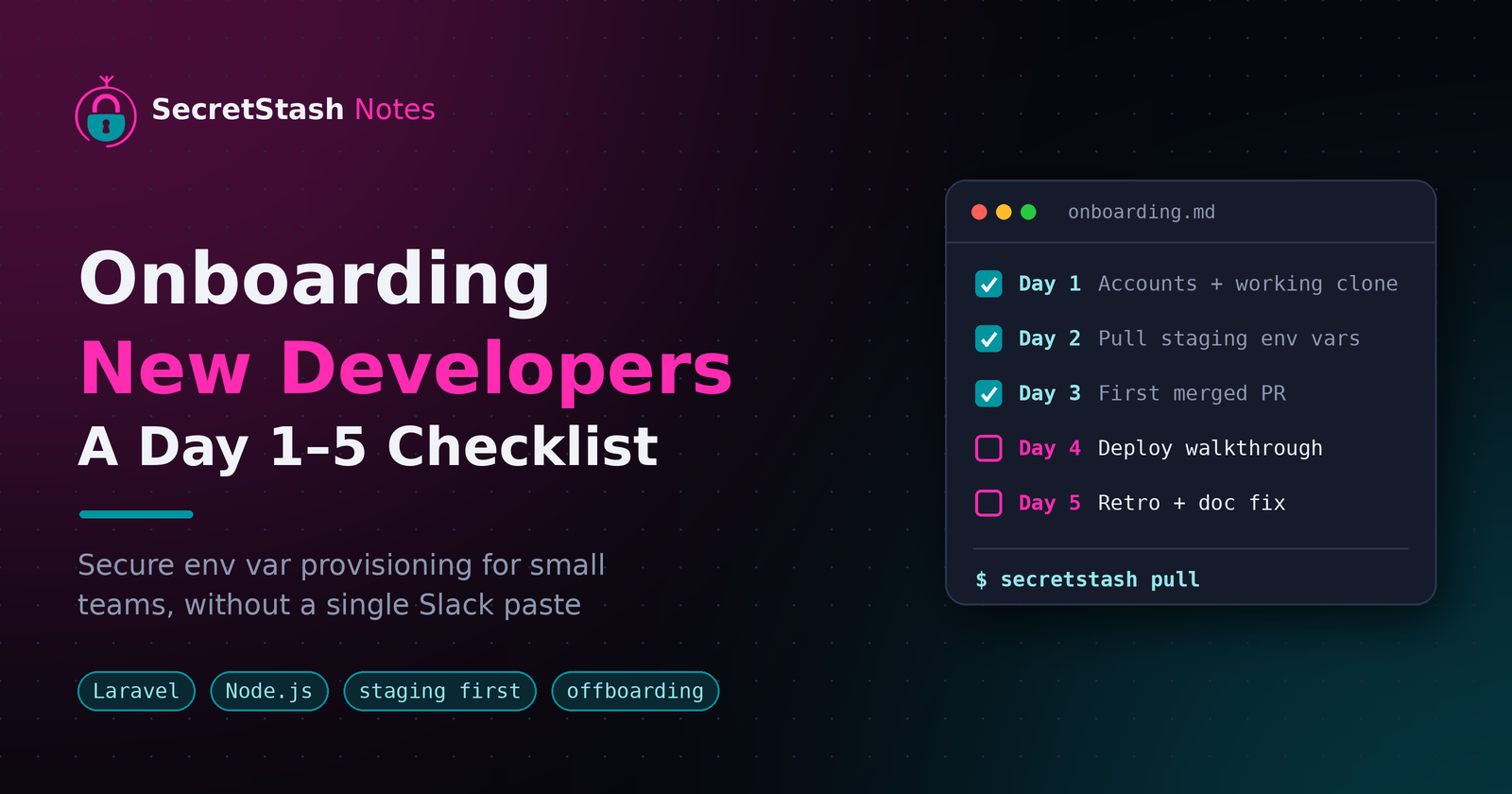
Day 1–5 checklist (copy-paste)
Day 1
- Create accounts (repo, secrets tool, staging).
- Assign a buddy.
- Ship a "hello, repo cloned" commit.
Day 2
- Pull env vars from the secrets tool via CLI, not Slack.
- New dev runs the app locally against staging.
- Verify every required env var resolves.
Day 3
- First merged PR, reviewed by their buddy.
- No secrets in code or chat.
Day 4
- Read-only staging access.
- Walk through deploy and Artisan/npm scripts.
Day 5
- Retro with the manager.
- Log anything that blocked setup.
Laravel and Node specifics
Laravel: run php artisan key:generate per environment, and never copy an APP_KEY between staging and production. Confirm config:cache works with the provisioned vars:
php artisan key:generate
php artisan config:cache
Node: add an env var check on boot that fails fast with the missing variable's name, so a gap surfaces on day two, not in production:
const required = ['DATABASE_URL', 'API_KEY'];
const missing = required.filter((key) => !process.env[key]);

if (missing.length) {
  throw new Error(`Missing required env vars: ${missing.join(', ')}`);
}
Keep .env.example current and diff it against the real config each sprint.
FAQ
How long should onboarding a new software developer take on a small team?
Five working days to full local productivity, with production access arriving after two weeks. Days one and two cover accounts, clone, and staging setup; days three through five cover a first merged PR, read-only staging access, and a retro. The clock only holds if env var provisioning is automated, since manual handoffs routinely stretch week one into weeks.
Should new developers get access to production secrets in their first week?
Not write access. Days one and two should be zero production access, days three through five get read-only access so they can debug against real values, and read-write arrives after two weeks with a clean code review record. Staging absorbs the inevitable wrong-environment migration, and a leaked staging credential beats a leaked production one.
What is the safest way to share .env files with a new team member?
Don't share files at all. Grant the developer per-person access to the staging project in a secrets tool, and have them pull variables with one CLI command after cloning. Pasting .env contents into Slack means secrets live in chat history forever, values drift from production, and nobody can tell which version is current.
How do I onboard a freelance or contract developer differently from a full-time hire?
Same day-one process, but time-box the access. Grant staging-only credentials scoped to the contract's app, skip the two-week production promotion path, and set an expiry on the grant that matches the contract end date. Offboarding is the same day-one-of-departure checklist: revoke tool access first, then rotate any shared credential they touched.
What tools do small Laravel agencies use to manage environment variables for new hires?
Doppler, Infisical, dotenv-vault, and SecretStash are the common picks at small-team scale, with HashiCorp Vault and Bitwarden Secrets Manager appearing when requirements skew larger or heavier. Judge each on three criteria: invite speed, per-environment access so you can grant staging without production, and a CLI that pulls vars into a running app without custom scripts.
About the author
- I am a full-stack developer with a passion for creating intuitive and user-friendly experiences. With a strong background in frontend development and a deep understanding of backend technologies, I excel in building robust and scalable applications. My expertise spans across various frameworks and languages, allowing me to adapt to different project requirements. I am dedicated to staying updated with the latest industry trends and continuously improving my skills to deliver high-quality solutions.
Comments
Join the discussionNo comments yet. Be the first to comment.